Bulk import users to Aizen platform
To import users in bulk, define the users in a json file as an array of json objects as shown in the example
The users need to be valid users in the external authentication system (ldap or keycloak or auth0 or azure)
Use the short form for the user name as the id.
For example if the user id in external system is the email use the user name part of the email as shown in the example below
user1 is an Aadmin user and also has project creator role
user2 can only create projects but not do any admin operations
user3 cannot create any projects but can be granted project access roles by any of the project admins
[
    {
        "id": "user1",
        "username": "user1",
        "email": "user1@xyz.com",
        "phone": "1111111111",
        "roles": [
            "AIZEN_ADMIN",
            "PROJECT_CREATOR"
        ]
    },
    {
        "id": "user2",
        "username": "user2",
        "email": "user2@xyz.com",
        "phone": "2222222222",
        "roles": [
            "PROJECT_CREATOR"
        ]
    },
    {
        "id": "user3",
        "username": "user3",
        "email": "user3@xyz.com",
        "phone": "3333333333",
        "roles": [
        ]
    }
]
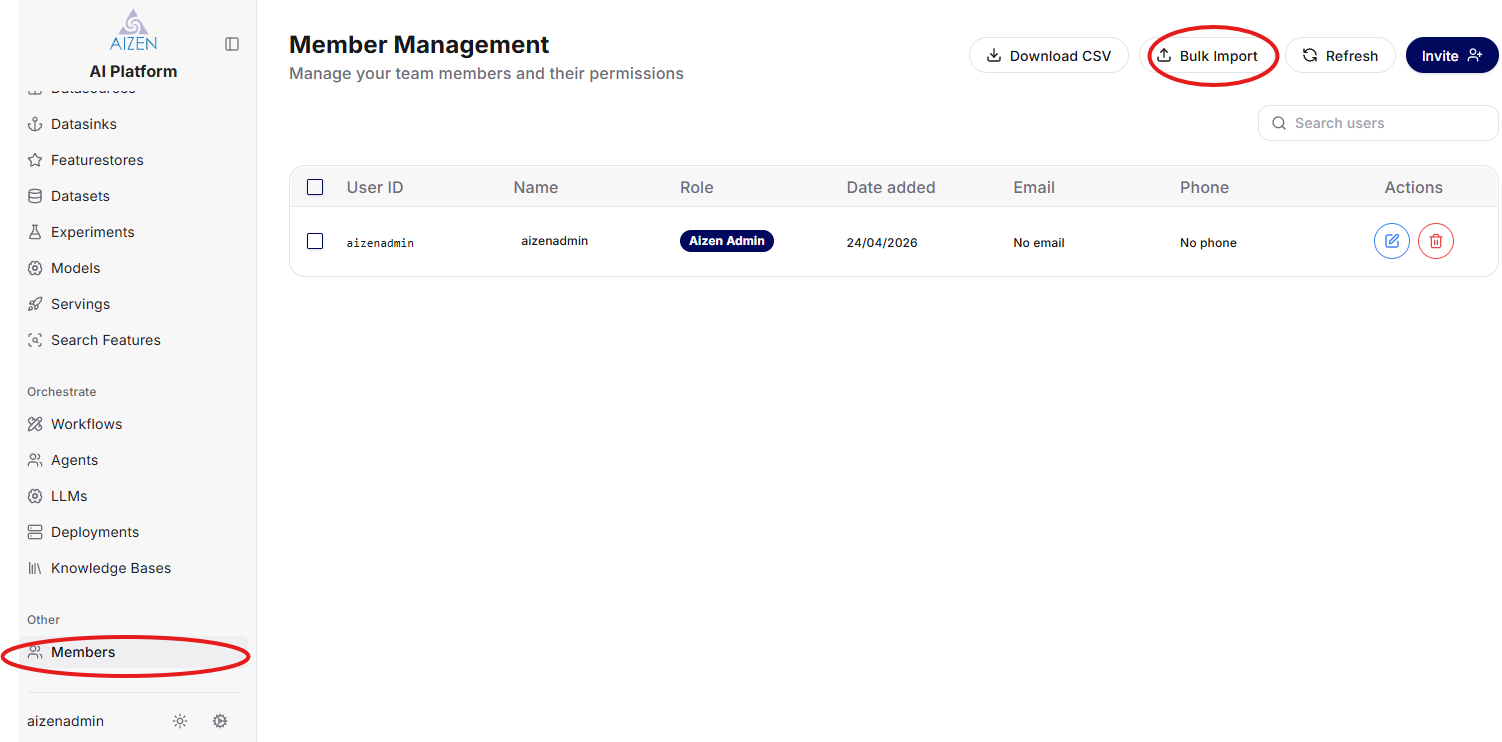
Login to Aizen gui platform as an admin user.
In the member management page as shown below import the json file the you created and load the file using the Bulk Import option